Hand Detection System
A real-time hand-inside-person detection demo using OpenCV, MediaPipe & MobileNetSSD in a Tkinter GUI.
Project Overview
This project uses:
- MediaPipe Hands to extract 21 hand landmarks per hand (x, y coordinates normalized 0–1).
- MobileNet-SSD (Caffe) to detect people (class ID 15).
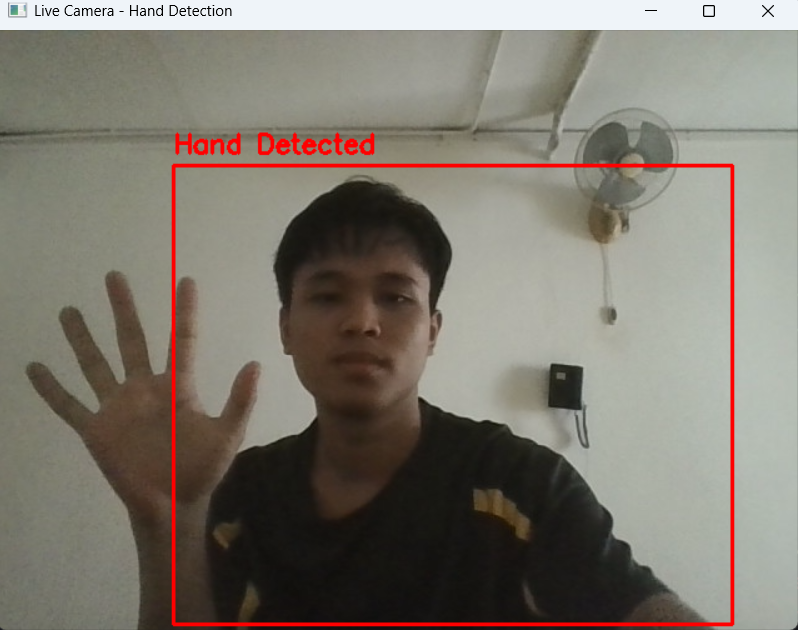
- Draws a red bounding box around the person.
- Displays “Hand Detected”.
- Plays a beep sound.
- Saves a screenshot automatically in the
screenshots/folder. - Runs in a simple Tkinter GUI for live feedback.
Hand Detected
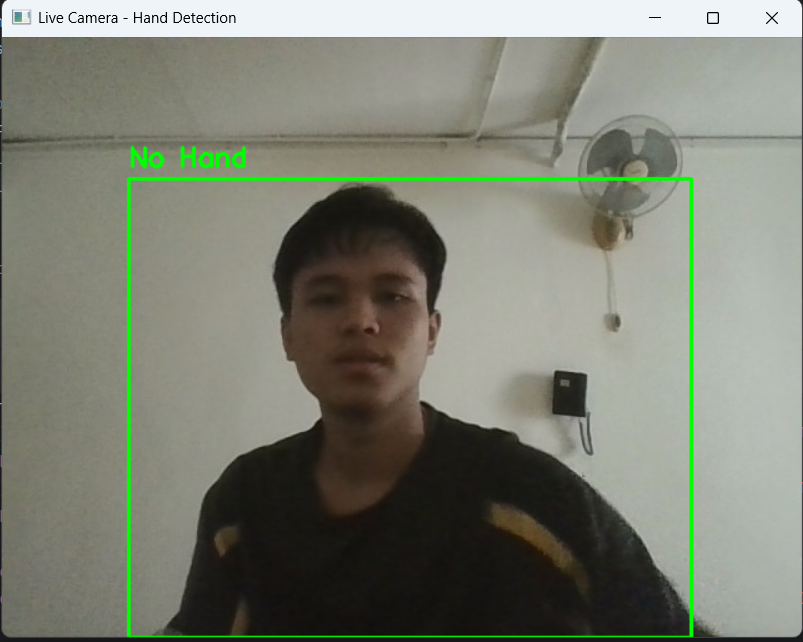
No Hand Detected
Step-by-Step Code Explanation
1) Imports & Setup
Explanation: OpenCV handles video input & DNN person detection; MediaPipe extracts hand landmarks; threading keeps Tkinter responsive; PIL converts frames to Tkinter images; winsound plays alert sounds.
2) Screenshot folder & model initialization
Explanation: - 0.7 detection & tracking confidence ensures MediaPipe only detects reliable hand landmarks. - MobileNetSSD class 15 is person. - Screenshot folder is created automatically to save images.
3) Tkinter GUI & App class
Explanation: Tkinter buttons start/stop detection.
Alert interval of 2s avoids multiple alerts for same hand presence.
4) Detection Loop & hand landmarks
Explanation: - Frame is flipped for mirror effect. - MediaPipe returns normalized 0–1 coordinates; multiply by width & height to get pixel positions. - Draw landmarks for visual feedback.
5) Person detection & hand-inside check
Explanation:
- Blob scaling 0.007843 = 1/127.5 → normalize to [-1,1] for MobileNetSSD.
- Resize 300×300 matches model input size.
- Detection confidence > 0.5 balances false positives/negatives.
- Hand-inside check uses simple overlap.
- Alert triggers beep & screenshot (timestamped with 3-digit incremental).
6) Display in Tkinter GUI
Convert BGR→RGB and use PIL Image to show live feed in Tkinter.
7) Exit clean-up
Release webcam when stopping detection or closing app.
Source Code & Repository
Full Python code is available on GitHub. For heart-shape hand detection, you can check the extended version there.
View Source Code on GitHubSummary & Insights
Key Features:
- Real-time person detection using MobileNet-SSD
- Accurate hand-landmark detection via MediaPipe
- Overlap check triggers alert when hand is inside person bounding box
- Screenshot auto-saving with incremental filenames
- Threaded Tkinter GUI for smooth live feed
- Overlap check does not guarantee hand belongs to the person.
- Lighting, occlusion, and camera angle can reduce accuracy.
- winsound is Windows-only; replace for cross-platform alerts.